 Unifyl — a dual-pane file manager for macOS
Total Commander for Mac? Here is what actually works
Short answer first: Total Commander has no macOS version and Christian Ghisler has never announced one. Your realistic options are running the Windows version in a VM (heavy, un-Mac-like), or picking a native dual-pane manager and checking it against the habits that actually make TC fast.
The checklist that matters
After twenty years, what I actually missed was not "Total Commander" — it was a specific set of reflexes:
- Two panes, Tab to switch, Return to enter — the whole point.
- F5 copies to the other pane, F6 moves — no drag, no dialog hunting.
- Archives behave like folders — enter a ZIP/7z/RAR, copy one file out, leave.
- Multi-rename with counters and regex — a hundred files at once, previewed first.
- Select by pattern (
+/-on the numpad), select same extension, compare directories and mark the newer side. - FTP/SFTP in a pane, not in a separate app.
- Everything reachable from the keyboard, and remappable when muscle memory disagrees with defaults.
The native options, honestly
| Notes from testing as a TC user | |
|---|---|
| Commander One | Native dual-pane, closest in spirit; directory compare is the commonly-cited gap, and much sits behind the PRO tier. |
| ForkLift | The best-looking of the set with strong remote support; leans more "modern Mac app" than "orthodox commander", and large folders can tax it. |
| Marta | Free, fast, keyboard-first, config-file driven; fewer built-in tools (viewers, sync, rename) than the commercial options. |
| Unifyl (this site) | Built to clear the checklist above: F5/F6 to the other pane, archives as virtual folders (ZIP/7z/TAR/RAR and more), multi-rename, compare & sync, pattern selection with the numpad gray keys, SFTP/FTP/WebDAV/SMB/S3, 133 remappable shortcuts. Plus things TC never had: on-device AI search (nothing leaves the machine) and first-class CJK filename handling. |
Try them all — every one has a free version or trial. TC users are picky in predictable ways, which is exactly why the checklist works better than screenshots.
What the switch feels like in Unifyl
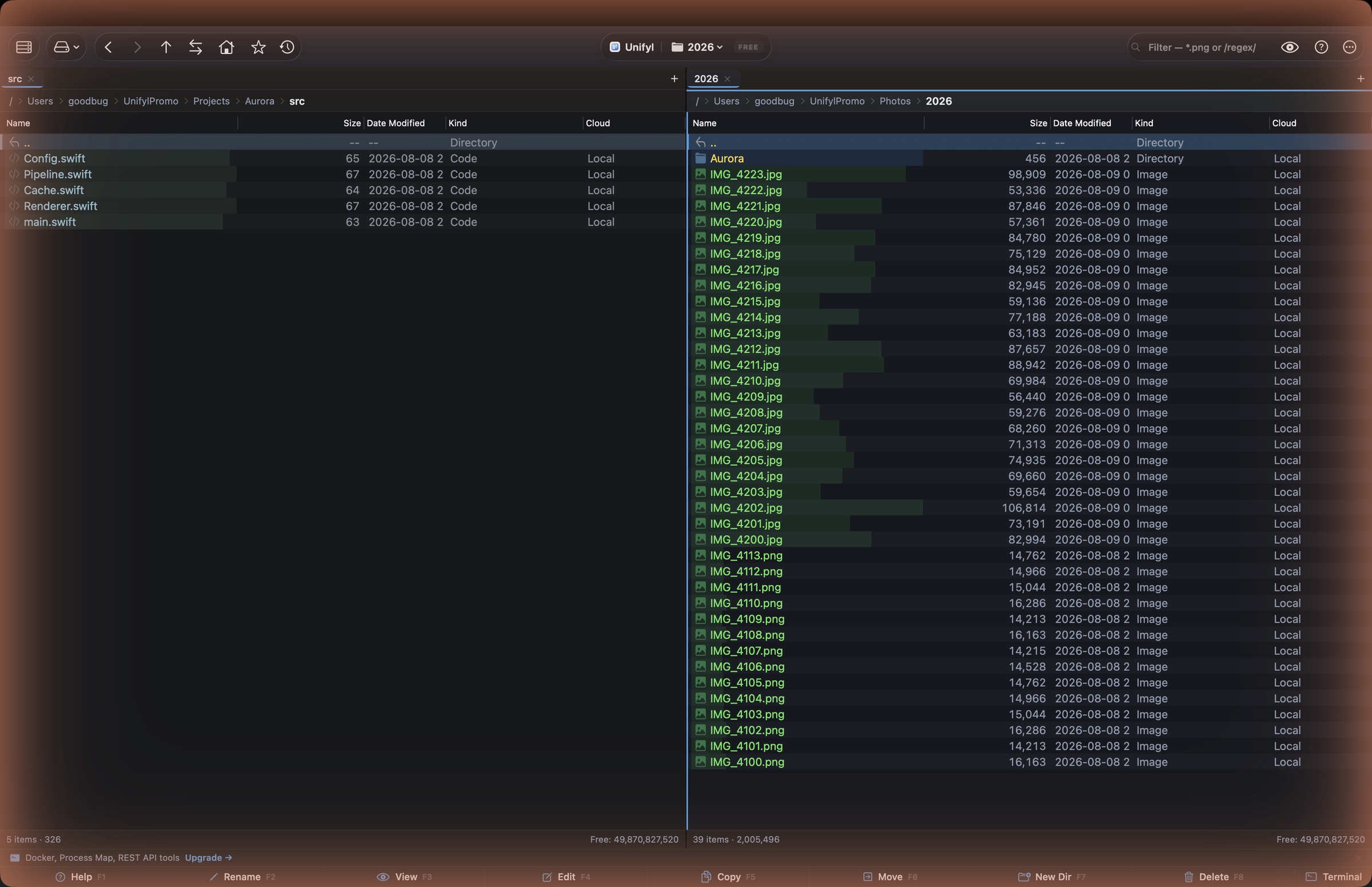
The defaults follow macOS conventions where that matters (Space for Quick Look,
⌘⌫ to trash) and TC conventions where those matter (Return opens/enters,
F-keys do what your hands expect). Folders always sort above files, name-ordered, regardless of
the sort column — the small thing orthodox-commander users notice within a minute.
The download is free and the free tier is not a trial — dual/triple panes, filename search, FTP/SFTP, themes, unlimited tabs are all in it. Power tools (content search, archive writing, full cloud connectors, diff/sync/merge, multi-rename, the AI stack) are a one-time purchase, not a subscription.
Download Unifyl free